Decoding Storage: Files, Objects, or Blocks? The right storage to boost your app!
In application development, the choice of storage type — block, file, or object — has a direct impact on performance. Whether you want to run a database or manage multimedia content, each option has its strengths. Learn how to optimize your architecture and improve the user experience by choosing the right storage. Read our article to explore these solutions and make the best choice!
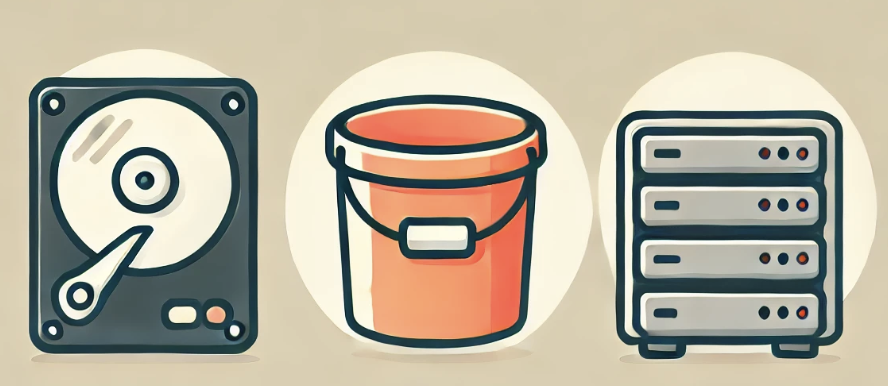
In application development and operations, understanding the different types of storage — block, file, and object — is crucial to unlock certain capabilities and optimize the performance of your systems and architecture. This article explores each storage type, explaining how it works and how to access it from an application, then illustrating each concept with specific technologies.
1 - Block Storage
What is it?
Block storage works by splitting data into fixed-size sequential blocks, each of which can be accessed independently.
The concept is equivalent to plugging a USB stick into a PC: the disk is mounted by the operating system and can only be used by one machine at a time (indeed, if you want to access the USB stick from another computer, you inevitably have to unplug it and plug it into the other machine, making the storage accessible to a single machine only).
To draw a parallel with environments like Kubernetes, this concept is known as ReadWriteOnce (RWO), where the volume can be mounted in read-write mode by a single node.
What about my use case?
As a developer, I want to deploy a transactional database.
Use case: To guarantee optimal performance and low latency for an e-commerce application that requires fast, secure transactions, I choose block storage. It lets me attach and manage storage volumes like virtual hard drives, where each volume can be formatted with a file system and mounted exclusively by one database server at a time — the equivalent of RWO (ReadWriteOnce) in Kubernetes.
How do I access this storage from an application?
At the operating system level, block storage volumes can be formatted with file systems such as ext4 (Linux) or NTFS (Windows), then mounted directly onto the host’s file system. An application then accesses this block storage volume through the local file system, just as it would with any internal hard drive.
Let’s take a concrete example: I want to access a file named “maphoto.jpg”. Since files are accessed like on any local file system once the volume is mounted, we use the same methods as for a local file:
// File: app-rwo.js
const fs = require('fs');
fs.readFile('/path/to/maphoto.jpg', (err, data) => {
    if (err) throw err;
    console.log(data);
});
2 - File Storage
What is it?
File storage is a storage model based on a hierarchical structure of folders and files, accessible over the network.
In Kubernetes terms, this type of storage corresponds to ReadWriteMany (RWX), allowing multiple pods to read from and write to a shared volume simultaneously, even when they are spread across several different nodes.
What about my use case?
As a developer, I want to build a file-sharing system for a collaborative application.
Use case: For a project management application that lets users share documents, images, and other file types in real time, I use file storage with NFS or SMB. This type of storage supports RWX (ReadWriteMany), allowing multiple machines and applications to read and write the same files simultaneously, making collaboration and document management easy for a geographically distributed team.
How do I access this storage from an application?
Applications access file storage through network protocols such as NFS (Network File System - UNIX, Linux) or SMB (Server Message Block - Windows), which allow remote storage to be mounted as if it were part of the local file system. This is ideal for applications that need to share files between multiple users or services.
Back to our example: we want to access a file named “maphoto.jpg”. Accessing files on a file system mounted via NFS or SMB is identical to accessing a local file in NodeJS. Just make sure the specified path is where the network file system is mounted on your local machine or server:
// File: app-rwx.js
const fs = require('fs');
fs.readFile('/mounted/path/to/maphoto.jpg', (err, data) => {
    if (err) throw err;
    console.log(data);
});
3 - Object Storage
What is it?
Object storage treats data as distinct objects (rather than as data blocks or hierarchical files). Each object includes the data itself, an extensible set of metadata, and a globally unique identifier.
This is typically the kind of storage your teams will refer to as a “bucket”.
What about my use case?
As a developer, I want to build a social media application handling large volumes of multimedia content.
Use case: To efficiently store and serve images, videos, and other media files for a social media platform, I choose object storage using an S3 API (AWS S3, Minio, Scaleway Object Storage, OVH Object Storage, etc.). This type of storage makes large-scale access and management easy, at a lower storage cost than block or file storage. The APIs, based on the HTTP protocol, allow the application to easily integrate storage operations such as uploading, downloading, and securing access to data.
How do I access this storage from an application?
Applications access object storage through HTTP APIs, which makes integration with modern web-based applications straightforward. These APIs allow CRUD operations (create, read, update, delete) on individual objects.
While it’s best to use an object storage service offered by one of the providers mentioned above to guarantee data replication and cost control, Minio remains an excellent candidate for local testing. It is an S3-compatible object storage solution designed to be deployed on private infrastructure. As an example, here’s how to access “maphoto.jpg” with Minio:
// File: app-object.js
const Minio = require('minio');
const minioClient = new Minio.Client({
    endPoint: 'localhost',
    port: 9000,
    useSSL: false,
    accessKey: 'YOUR-ACCESSKEYID',
    secretKey: 'YOUR-SECRETACCESSKEY'
});
const params = {
    Bucket: 'mon-bucket',
    Key: 'maphoto.jpg'
};
minioClient.getObject('mon-bucket', 'maphoto.jpg', (err, stream) => {
    if (err) {
        return console.log(err);
    }
    stream.pipe(process.stdout);
});
In a nutshell
Each storage type offers unique advantages suited to different use cases, from multi-user file sharing to large-scale data storage for modern web applications. Make the right choice for your system: the performance, scalability, and security of your applications depend on it!